About Telecommuting

About Telecommuting

Coronavirus: Firms which fail to implement telecommuting where possible may face fines, stop-work orders:

https://www.straitstimes.com/singapore/coronavirus-govt-to-make-it-an-offence-if-employers-fail-to-implement-telecommuting-where

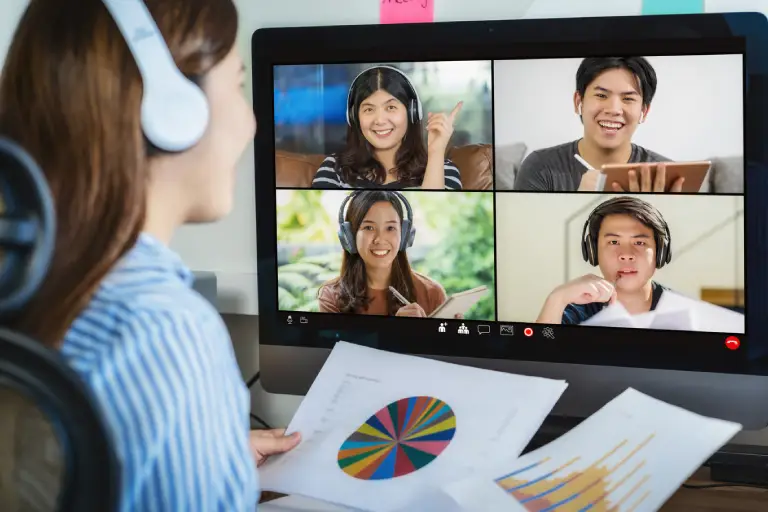
To meet the above requirements Sysnet can provides Solution for Telecommuting: Refers to a working arrangement or work style where an employee does his or her work off-site, or outside of the principal office. They typically work from home one or more days a week and communicate with the office over the phone or some other internet-related form, like Video call by Skype / WebEx meeting /Virtual meeting or email ,Securely access the office PC ,Application from home and etc

Some of Our Proposed Telecommuting Solutions
  1. Cloud based virtual teleworking Video conference and IP phone solutions
  2. Mobile Attendance ( By Using Mobile Apps on IOS as well as in Antroid )
  3. Disaster recovery / BCP Server & Application on Cloud as well as On-Premeises
  4. Face recognition Door access
  5. VPN Access with MFA
  6. Secure Endpoint PC Encryptions
  7. Secure vendor / Contractor remote access with session recording
  8. Endpoint Security Solutions 
  9. Cloud based Email and Cloud Aplications (SAAS)
  1. Every business needs a cost effective Business Continuity Plan
  2. Growing Concern of Global Pandemic like Coronavirus
  3. Natural disasters
  4. Traffic Crawls
  5. Business growth requirements
  1. How to restrict data download & copy by users on personal devices
  2. BYOD devices can not be trusted
  3. Malware/ Key loggers on end user device
  4. Provisioning laptops to users for work from home, is 
  5. costly
  6. Time consuming & Logistically complex
  7. How to provision applications to end users on new/personal devices
  8. User’s Internet access can not be controlled
  9. End user’s bandwidth won’t be guaranteed
  10. How to address HR/attendance/productivity issues
  1. Quick to set up
  2. Quick to roll out
  3. Zero endpoint management
  4. Zero Trust Architecture
  5. BYOD capable
  6. Detailed Auditing
  7. Security compliant
  8. Available on cloud/ on premises
  9. Subscription Licensing
  10. MFA (Multi-Factor Authenticatio ) 
  1. Enable work from home for Staff, stakeholders, IT teams
  2. Allow vendor access from their offices for better productivity while meeting all compliances
  3. Enable IT support teams to work from home using corporate or BYOD devices
  4. Enable access from personal devices
  5. Enable seamless user movement within corporate network without carrying their device
  6. Enable Internet access from isolated networks to avoid dual PCs or requirement to use shared PCs
  7. Make legacy applications available to users on Windows 10, MAC OSX, mobile devices

Recognized by the best

Image gallery marquee

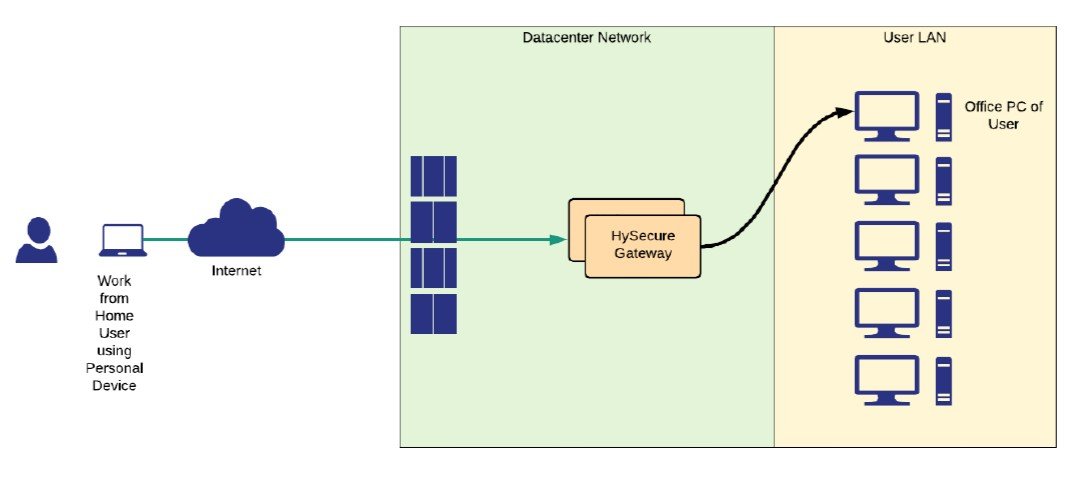
Office PC & Internal Apps Access from Home

Securely allow access to user’s Office PC so that user’s can work as if they are working inside the office. Users can also access internal web portals, client-server apps, emails, FTP server, RDP servers from their own PC. MFA, device fingerprint and data leakage prevention features are available out of the box to enable fastest, compliant, simple and most cost-effective work from solution. Solution offers direct access to internal applications using application tunnels, enabling zero-trust based access .

•Endpoint control
•Blocked Internet when accessing office apps
•Block data download
•Block clipboard, print screen, screen recording
•Enable device restrictions based on identity & health of the PC.
Lock down user to specific device.
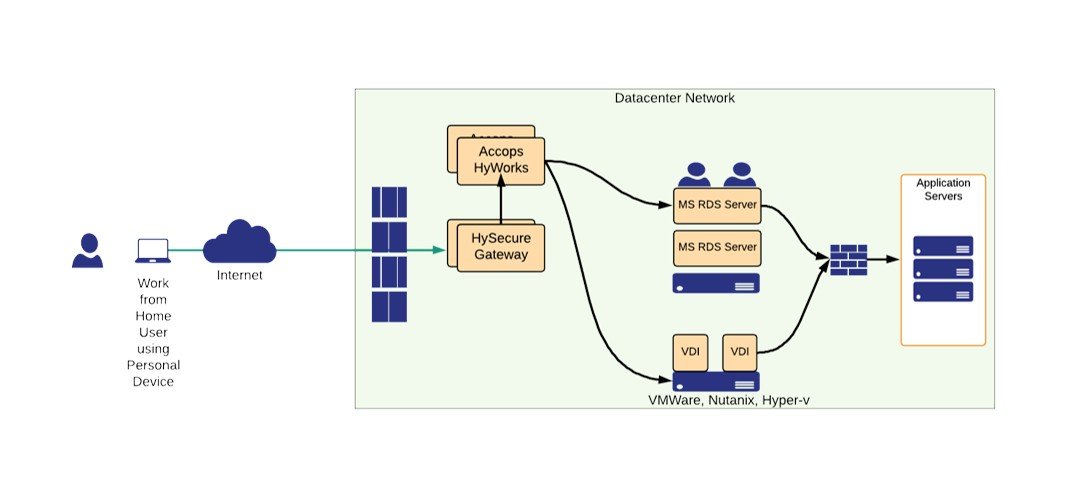
Virtual Apps/Desktop Access

•User can use personal device to connect to a virtual apps, session-based desktop and personal virtual desktop.
•User can use web browser with no agent or download agent for compliance •Endpoint control
•Blocked Internet when accessing office apps
•Block data download
•Block clipboard, print screen, screen recording.
•Enable MFA
•Enable device restrictions based on identity & health
•Lock down user to specific device
•VM provisioning and life cycle can be managed from HyWorks
•User Session Recording.

DaaS for Instant WFH Service Rollout

•Managed Desktops-as-a-Service from Accops
•User can use personal device to connect to a virtual apps, session-based desktop and personal virtual desktop  
•User can use web browser with no agent or download agent for compliance
•Endpoint control
•Blocked Internet when accessing office apps
•Block data download
•Block clipboard, print screen, screen recording
•Enable MFA •Enable device restrictions based on identity & health  
•User Session Recording
•Encrypted VM available.
Cloud Computing

IT Cyber Security

IT Infrastructure

IT Outsourcing Services

VOIP Solutions

Software Developments

Reviews From Our Clients

We provide high quality, cost effective IT solutions and Software development services

Partner with Us for Comprehensive IT

We’re happy to answer any questions you may have and help you determine which of our services best fit your needs.
Your benefits:

What happens next?

We Schedule a call at your convenience

We do a dconsulting meting

We prepare a proposal

Schedule a Free Consultation